QME Report Automation for Medical-Legal Workflows
26 September 2026
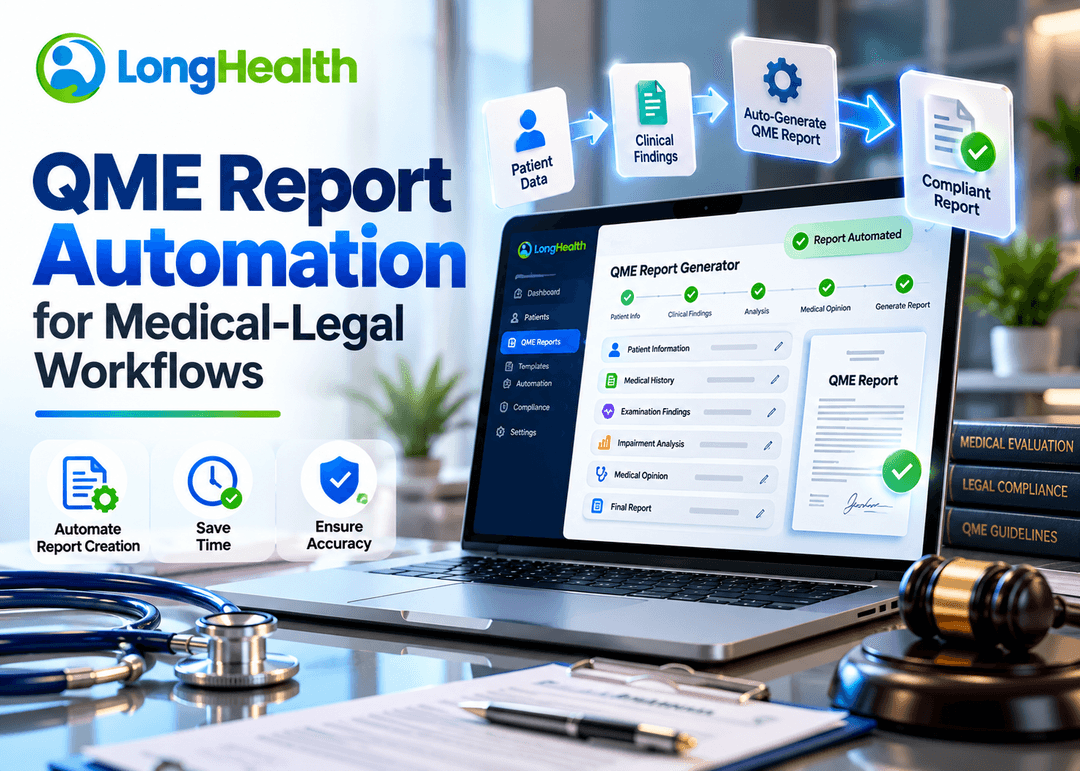
QME report automation uses software and AI-assisted technology to streamline repetitive work involved in medical-legal evaluation workflows, including medical-record review, clinical chronology, examination documentation, and report preparation.
The goal is not simply to have software write a report.
A more useful approach is to automate the information-processing steps surrounding the report while keeping professional review and medical-legal judgment with the Qualified Medical Evaluator.
This distinction matters because QME reports can require detailed review of medical records, identification of relevant clinical events, examination documentation, impairment-related considerations, and preparation of a final medical-legal report.
For organizations evaluating QME report automation, the key question is therefore not just whether software can generate text.
The more important question is:
Can automation help move a QME case from complex records to a structured, reviewable, professionally finalized report?
What Is QME Report Automation?
QME report automation in California is the use of software, artificial intelligence, and workflow technology to assist with repetitive tasks involved in preparing Qualified Medical Evaluator reports.
Depending on the platform, automation may support:
- Medical-record intake
- Document processing
- Medical-record review
- Clinical information extraction
- Medical chronology
- Examination documentation
- Impairment-related workflows
- Report organization
- Draft report preparation
- Source verification
- Physician editing
- Final report workflows
The exact capabilities vary between platforms.
Importantly, automation should support the evaluator rather than independently determine medical-legal conclusions.
In California, the Division of Workers' Compensation describes QMEs as qualified professionals who examine injured workers to evaluate disability and write medical-legal reports.
That means automation should be designed around the actual work performed by the evaluator.
Why Automate the QME Report Workflow?
Medical-legal evaluation can involve reviewing substantial amounts of documentation.
Relevant information may be distributed across:
- Medical records
- Physician notes
- Imaging reports
- Laboratory reports
- Surgical records
- Consultation notes
- Treatment records
- Prior evaluations
- Administrative documents
- Examination findings
The challenge is not simply reading the documents.
The evaluator must identify relevant information, understand the chronology, evaluate the available evidence, document the examination, and prepare a report that reflects professional conclusions.
Automation can assist with the repetitive information-processing portion of this workflow.
A simplified process can look like: Medical Records > AI-Assisted Processing > Relevant Information > Clinical Chronology > Examination Documentation > Impairment Workflow > Draft Report > Physician Review > Final Medical-Legal Report
This approach treats automation as workflow support rather than autonomous medical decision making.
What Parts of a QME Report Can Be Automated?
Not every part of a medical-legal evaluation should be automated in the same way.
A practical automation strategy separates information processing from professional judgment.
1. Medical-Record Processing
One of the most suitable areas for automation is processing large collections of medical documents.
Software can potentially assist with identifying and organizing information such as:
- Dates
- Diagnoses
- Medications
- Procedures
- Imaging
- Laboratory results
- Clinical encounters
- Treatments
- Symptoms
- Providers
- Examination-related information
Instead of requiring a professional to manually locate every relevant event across a large record, an AI-assisted system can organize information for review.
The evaluator can then verify the extracted information against the underlying records.
2. Clinical Chronology Automation
Clinical chronology is another area where automation can provide workflow support.
A chronology organizes medical events according to time.
For example:
| Date | Event | Information | Source |
|---|---|---|---|
| Jan. 10 | Initial evaluation | Reported symptoms and findings | Medical record |
| Jan. 18 | Diagnostic testing | Imaging performed | Imaging report |
| Feb. 5 | Follow-up | Treatment response documented | Provider note |
| Mar. 12 | Procedure | Procedure documented | Operative report |
| Apr. 20 | Follow-up | Subsequent findings | Clinical note |
An AI-assisted chronology can help organize information before the evaluator conducts detailed review.
The important requirement is traceability.
A chronology should not be treated as an independent source of truth. The evaluator should be able to verify relevant information against the underlying documentation.
3. Automated Medical Record Summarization
Large records can make information retrieval difficult.
Automation can assist by creating structured summaries of relevant portions of a medical record.
For example, a system may help identify:
- Major diagnoses
- Treatment history
- Procedures
- Imaging
- Clinical encounters
- Relevant symptoms
- Changes over time
- Important dates
This can provide a starting point for professional review.
However, summarization and medical-legal interpretation are not the same thing.
A summary tells the reviewer what information appears in the records.
The QME determines what that information means within the medical-legal evaluation.
4. Examination Documentation
Another potential automation area is documentation of examination information.
An AI-assisted workflow may help capture dictated or structured information and organize it into documentation that the evaluator can review.
This can reduce repetitive documentation work while preserving professional control over the final content.
The evaluator should be able to:
- Review the information
- Correct errors
- Add relevant details
- Remove incorrect information
- Modify the wording
- Approve the final content
The purpose is documentation assistance—not autonomous clinical judgment.
5. Impairment-Related Workflow Support
Some QME workflows require impairment-related analysis and documentation.
Software can assist by organizing relevant information and supporting calculations or documentation workflows where appropriate.
However, this should not be confused with allowing AI to independently determine the evaluator's professional conclusions.
The evaluator remains responsible for the final determination.
Automation can organize information.
The professional makes the appropriate medical-legal judgment.
6. Report Draft Preparation
Report preparation is another area where automation can reduce repetitive work.
An automated workflow may assemble verified information into a structured, editable draft.
For example: Case Information > History > Records Reviewed > Chronology > Examination Information > Relevant Findings > Impairment-Related Information > Medical-Legal Discussion > Report Draft
The exact report structure depends on the specific workflow and applicable requirements.
The important point is that the resulting report should remain editable and reviewable by the professional.
QME Report Automation vs. Automated Medical-Legal Decisions
These concepts should not be confused.
QME report automation
Focuses on:
- Organizing information
- Extracting data
- Creating timelines
- Supporting documentation
- Structuring reports
- Reducing repetitive work
Automated medical-legal decision-making
Would involve software independently determining professional conclusions.
These are fundamentally different concepts.
A responsible QME automation workflow should emphasize the first while keeping professional judgment with the evaluator.
Does QME Report Automation Replace the QME?
No.
QME report automation in California is a technology-assisted workflow.
It does not replace:
- Professional expertise
- Clinical judgment
- Review of source records
- Examination of the injured worker
- Interpretation of medical information
- Medical-legal reasoning
- Final professional responsibility
The role of automation is to support the work surrounding the evaluation.
A useful model is: AI + Automation + Professional Review
rather than: AI > Final Medical-Legal Opinion
This distinction should be central to any technology evaluation.
What Does an Automated QME Workflow Look Like?
A complete workflow can be divided into several stages.
Stage 1: Case Intake
Relevant documents are collected and prepared for processing.
Potential activities include:
- Document upload
- File organization
- Record identification
- Case metadata
- Document categorization
Stage 2: AI-Assisted Record Review
The system processes available documentation and identifies relevant information.
Potential outputs include:
- Diagnoses
- Treatments
- Procedures
- Imaging
- Laboratory results
- Encounters
- Dates
- Providers
Stage 3: Clinical Chronology
Relevant events are organized chronologically.
This gives the evaluator a structured view of the medical history.
Stage 4: Professional Review
The evaluator reviews the extracted information and chronology against the underlying records.
This is an essential quality-control stage.
Stage 5: Examination Documentation
Information obtained during the evaluation can be captured and organized.
Stage 6: Impairment Workflow
Where applicable, the workflow can support organization and documentation of impairment-related information.
Stage 7: Report Preparation
The system can help organize reviewed information into an editable report.
Stage 8: Final Review
The evaluator reviews, edits, and finalizes the report.
This creates a workflow in which automation supports the professional rather than replacing the professional.
Benefits of QME Report Automation
The exact benefits depend on the software, workflow, case volume, and implementation.
Potential operational benefits include the following.
Reduced Repetitive Work
Automating document processing and information extraction can reduce repetitive manual tasks.
Faster Information Retrieval
Structured information can make it easier to locate relevant dates, diagnoses, treatments, procedures, and other documented events.
Better Case Organization
A structured chronology can provide a clearer view of the sequence of clinical events.
Consistent Workflow
Organizations can establish repeatable workflows for:
- Intake
- Review
- Chronology
- Documentation
- Report preparation
- Quality control
Easier Source Verification
Source-linked information can make it easier for reviewers to verify important details.
Better Workflow Scalability
Organizations handling higher case volumes can evaluate whether automation can reduce repetitive administrative work as volume increases.
These are potential workflow benefits, not guaranteed outcomes.
What Should You Look for in QME Report Automation Software?
Choosing an automation platform requires more than reviewing an AI feature list.
Evaluate the complete workflow.
Medical Record Processing
Ask:
- What file formats can the platform process?
- Can it handle scanned documents?
- How does it handle large record sets?
- How does it identify duplicate documents?
- Can users search extracted information?
Clinical Chronology
Ask:
- Can the system create a chronology?
- Can users edit chronology entries?
- Are source documents available for verification?
- How does the system handle conflicting information?
AI Transparency
Ask:
- What does the AI generate?
- What information does it extract?
- Can the evaluator verify the output?
- Can incorrect information be corrected?
- Can the user see the underlying source?
Examination Documentation
Ask:
- Can examination information be captured?
- Can the evaluator edit the generated content?
- Can users add information manually?
- Does the workflow fit the evaluator's existing process?
Report Preparation
Ask:
- Can the report be edited?
- Can the evaluator control the final content?
- Can templates be supported?
- Can reports be exported?
- Does the workflow support final quality review?
QME Report Automation Evaluation Checklist
| Area | Questions to Ask |
|---|---|
| Record processing | Can the platform process the records used in your cases? |
| Document handling | What document formats are supported? |
| AI extraction | What information can the system identify? |
| Chronology | Can clinical events be organized chronologically? |
| Source verification | Can extracted information be checked against source records? |
| Examination | Can examination information be captured and edited? |
| Impairment workflow | Does the platform support relevant impairment-related tasks? |
| Report drafting | Can the system create an editable report draft? |
| Human review | Where does professional review occur? |
| Security | How is sensitive information protected? |
| Integration | Can the software fit existing systems and processes? |
| Scalability | Can it support expected case volume? |
| Governance | How are AI outputs reviewed and controlled? |
| Support | What implementation and technical support is available? |
QME Report Automation and Human-in-the-Loop Review
Human review should be built into the workflow.
AI systems can produce useful structured information, but medical records can contain:
- Conflicting dates
- Duplicate entries
- Missing documentation
- Incomplete information
- Poor-quality scans
- Ambiguous terminology
- Documentation errors
- Complex clinical context
Automation does not eliminate these challenges.
Instead, a good workflow gives the evaluator tools to identify and correct them.
The ideal process is: Source Records > AI Processing > Structured Output > Source Verification > Professional Review > Final Report
This creates accountability at each stage.
QME Report Automation and California Medical-Legal Workflows
California has specific requirements governing the QME process and medical-legal reports.
The California Division of Workers' Compensation maintains QME resources, regulations, forms, report-writing guidance, and other information for QMEs.
California regulations also address the service of comprehensive medical-legal evaluation reports, including circumstances involving represented and unrepresented injured workers.
The DWC provides medical-legal report-writing tools and describes its report templates as voluntary resources for physicians.
The regulatory environment can change. For example, DWC announced that new QME reappointment education requirements under §55.1 became fully effective April 1, 2026.
For that reason, QME software should not be treated as a substitute for checking current California regulations and official DWC guidance.
Automation can support a workflow, but organizations remain responsible for understanding the requirements applicable to their work.
Why Source Traceability Matters in QME Automation
Source traceability is particularly important when AI is involved.
Consider a generated chronology entry:
March 14 — Patient received follow-up treatment.
A reviewer should ideally be able to determine:
- Which document supports this statement?
- What date appears in the source?
- Which provider documented it?
- What exactly was documented?
- Was the AI interpretation accurate?
Without source traceability, the reviewer may have to manually search the entire record again.
A stronger workflow connects generated information to its underlying source.
This is particularly useful for high-consequence documentation workflows.
QME Automation Is More Than Report Generation
A common mistake is to define QME automation as: "AI writes the report."
That is too narrow.
A more complete definition is:
QME automation streamlines the information-processing workflow surrounding a medical-legal evaluation.
That can include:
- Record intake
- Data extraction
- Clinical chronology
- Information retrieval
- Examination documentation
- Impairment workflow support
- Report organization
- Draft preparation
- Source verification
- Professional review
Report generation is only one stage.
The larger opportunity is workflow automation.
How LongHealth Supports Medical-Legal Workflow Automation
LongHealth's EvalPath is designed around a medical-legal evaluation workflow that includes AI-assisted medical-record review, clinical chronology, examination documentation, impairment-rating support, and physician-editable medical-legal report preparation.
This approach connects multiple workflow stages instead of treating report writing as an isolated task.
For a QME organization, the workflow can be viewed as: Medical Records > AI-Assisted Review > Clinical Chronology > Examination Documentation > Impairment Support > Medical-Legal Report > Physician Review & Editing
The final report remains subject to professional review.
For organizations evaluating QME report automation in California, this workflow-oriented approach can be useful when determining whether a platform addresses the actual operational problem rather than simply providing generic AI-generated text.
Questions to Ask Before Implementing QME Report Automation
Before choosing an automation platform, ask:
Workflow Questions
- Which parts of our current workflow are most repetitive?
- Where do evaluators spend the most administrative time?
- Which steps require professional judgment?
- Which steps can safely be automated?
Record Questions
- How large are our typical medical records?
- What document formats do we receive?
- How often are records scanned?
- How will source information be verified?
AI Questions
- What does the AI actually do?
- Can users identify AI-generated content?
- How are errors corrected?
- Can the evaluator control the final output?
Security Questions
- How is sensitive healthcare information handled?
- What access controls are available?
- What data retention policies apply?
- What security documentation can the vendor provide?
Implementation Questions
- How does the platform fit existing workflows?
- What training is required?
- Can the system scale with case volume?
- What support is available after implementation?
These questions can help an organization evaluate automation based on operational requirements rather than marketing claims.
Conclusion
QME report automation in California is most useful when it is treated as workflow automation rather than autonomous report writing.
The strongest approach is to automate repetitive information-processing tasks while preserving professional control over the medical-legal evaluation.
That means connecting: Medical Records > AI-Assisted Review > Clinical Chronology > Examination Documentation > Impairment Workflow > Report Preparation > Professional Review
The technology should help evaluators work with information more efficiently without presenting AI output as a replacement for professional judgment.
For organizations evaluating QME automation software, the most important consideration is therefore not simply whether a platform can generate a report.
It is whether the platform can support the complete medical legal workflow, provide appropriate source verification and editing controls, fit the organization's operational requirements, and maintain a clear human-review process.
LongHealth's EvalPath is built around this workflow-oriented model, connecting AI-assisted record review, chronology, examination documentation, impairment support, and physician-editable medical-legal report preparation.
If your organization is evaluating QME report automation in California, discuss your current workflow and automation requirements with LongHealth.
Frequently Asked Questions
What is QME report automation?
QME report automation uses software and AI-assisted technology to streamline repetitive tasks associated with medical-legal evaluation reports, including medical-record review, chronology, documentation, and report preparation.
Can AI automate QME reports?
AI can assist with portions of the QME report workflow, such as extracting information, creating chronologies, organizing documentation, and preparing editable draft content. Professional review remains necessary before finalizing a medical-legal report.
Does QME report automation replace a physician?
No. Automation can support information processing and documentation, but it does not replace the evaluator's professional judgment or responsibility.
What can QME report software automate?
Depending on the platform, automation may support medical-record processing, information extraction, clinical chronology, examination documentation, impairment-related workflows, and report preparation.
Can AI create a medical chronology for QME cases?
Yes, AI-assisted software can organize documented clinical events into a chronology. The chronology should be reviewed against the underlying records before being relied upon.
Why is source verification important?
Source verification allows the evaluator to confirm that extracted or generated information accurately reflects the underlying medical documentation.
Is QME report automation only useful for California?
QME is strongly associated with California's workers' compensation medical-legal system, where the DWC administers the QME process. Organizations should distinguish California-specific requirements from broader medical-legal evaluation workflows.
What should I look for in QME automation software?
Look for medical-record processing, chronology, source traceability, examination documentation, impairment-related workflow support, editable reports, human review, security controls, integrations, scalability, and implementation support.
Can LongHealth help automate QME workflows?
LongHealth's EvalPath is documented as supporting medical-legal workflows involving AI-assisted medical-record review, clinical chronology, examination documentation, impairment-rating support, and physician-editable report preparation.

HIPAA Compliant
We follow the highest standards of data protection, fully aligned with HIPAA regulations, to safeguard your medical records with uncompromising privacy and trust.

HITRUST
We are proud to be HITRUST Risk-Based, 2-Year (r2) Certified, demonstrating our commitment to the highest standards of data security and compliance.
Trusted Partners
Our trusted vendors are fully compliant with HIPAA and hold prestigious certifications.
Data Encryption
Longhealth secures your sensitive information with advanced encryption, safeguarding data both during transmission and while stored.
DxF - Data Exchange Framework
Improve care coordination, transparency, and access to real-time patient data across systems like EHRs, health plans, and providers.

Data Exchange Simplified

HIPAA Compliant