Workers Compensation Medical Report Software for Smarter Medical-Legal Reporting
3 November 2026
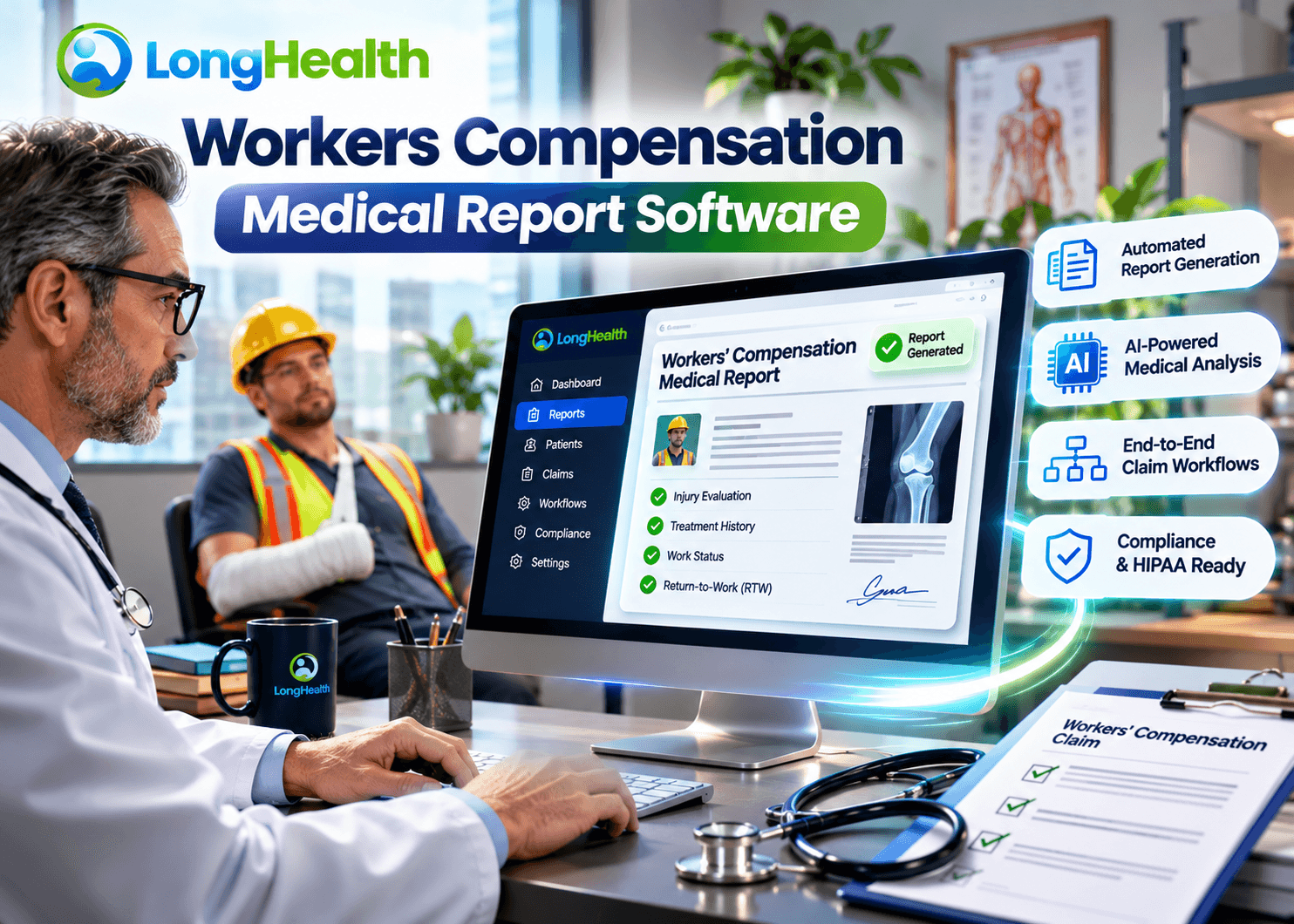
Workers' compensation medical reporting requires physicians and medical-legal professionals to review extensive medical records, document examination findings, establish injury and treatment timelines, assess impairment-related information, and prepare accurate reports. Managing these responsibilities manually can create significant administrative work, particularly when a case involves records from multiple providers, repeated examinations, and complex medical histories.
Workers compensation medical report software in California helps streamline this process by bringing medical record review, clinical chronology, examination documentation, and report preparation into a more organized digital workflow.
LongHealth's EvalPath is designed to support medical-legal evaluation workflows through AI-assisted medical record review, clinical chronology generation, examination documentation, impairment-rating support, and physician-editable report preparation.
Rather than treating medical report writing as an isolated task, EvalPath supports the information-processing stages that take place before a professional finalizes a medical-legal report.
For workers' compensation physicians, Independent Medical Examiners (IMEs), Qualified Medical Evaluators (QMEs), and medical-legal organizations, the objective is to make complex documentation workflows easier to manage while preserving professional judgment and review.
What Is Workers Compensation Medical Report Software?
Workers compensation medical report software in California is a digital solution that helps healthcare professionals organize, review, document, and prepare medical reports associated with occupational injuries and workers' compensation cases.
Depending on the platform, these solutions may support:
- Medical record collection and organization.
- Medical document review and summarization.
- Clinical chronology preparation.
- Injury and treatment history documentation.
- Physician examination documentation.
- Medical dictation and transcription.
- Impairment-related documentation.
- Medical-legal report drafting.
- Report template management.
- Professional review and report finalization.
The purpose is to help professionals manage information more efficiently without replacing the physician responsible for examining the individual, interpreting medical evidence, or establishing professional conclusions.
For example, a physician evaluating a workplace injury may need to review emergency department records, orthopedic consultations, diagnostic imaging, physical therapy notes, surgical reports, and follow-up examinations.
A medical reporting platform can help organize this information into a structured workflow so the physician can review relevant events and prepare the required documentation.
Why Do Workers' Compensation Medical Professionals Need Specialized Reporting Software?
Workers' compensation medical reporting involves more than recording a diagnosis or describing an examination.
A medical-legal evaluation may require the professional to consider the reported mechanism of injury, previous medical history, clinical findings, treatment history, diagnostic evidence, functional limitations, and the relationship between the reported injury and employment.
When this information is distributed across multiple documents, preparing a complete report can become a time-consuming process.
1. Managing Large Volumes of Medical Records
Workers' compensation cases can involve extensive documentation collected from multiple healthcare providers.
Common documents include:
- Initial injury reports.
- Emergency department records.
- Primary care notes.
- Specialist consultations.
- Orthopedic evaluations.
- Diagnostic imaging reports.
- Laboratory results.
- Surgical records.
- Physical therapy documentation.
- Medication histories.
- Previous medical records.
- Follow-up examination reports.
Reviewing these documents individually can make it difficult to locate specific information quickly.
Medical report software with AI-assisted record review can help identify relevant clinical information and organize it for professional examination.
LongHealth's EvalPath supports AI-assisted medical record review and the identification of relevant diagnoses, treatments, procedures, and other clinical details.
2. Creating Accurate Medical Chronologies
Medical chronology is an important part of understanding the progression of an occupational injury.
A case may involve multiple examinations, treatment decisions, diagnostic procedures, and changes in reported symptoms over an extended period.
Without a structured timeline, professionals may need to move repeatedly between documents to reconstruct the sequence of events.
A clinical chronology can organize information into a timeline such as:
| Timeline stage | Information to review |
|---|---|
| Initial injury | Date, reported mechanism, and initial complaints |
| First examination | Clinical history and physical findings |
| Diagnosis | Documented diagnosis and supporting evidence |
| Treatment | Medication, therapy, procedures, and referrals |
| Follow-up | Changes in symptoms and examination findings |
| Diagnostic testing | Imaging, laboratory results, and other investigations |
| Subsequent evaluation | Updated findings and functional limitations |
| Current assessment | Relevant information for the professional evaluation |
An important consideration is source traceability.
A chronology should allow the reviewer to identify the underlying medical record supporting an event. An AI-generated timeline should not be treated as an independently verified medical history.
EvalPath's documented workflow includes clinical chronology preparation with source-linked references to support physician review.
3. Reducing Manual Medical Report Preparation
Medical-legal reports may require information from several different stages of the evaluation process.
A professional may need to review the records, document the medical history, capture examination findings, organize relevant information, and prepare a report using an appropriate template.
Software-assisted documentation can help structure these activities.
For example, AI-assisted transcription can capture physician dictation and examination measurements in a structured documentation workflow.
Draft report preparation can then help organize the information into physician-editable content.
The physician remains responsible for reviewing the material, correcting inaccuracies, determining the appropriate medical opinions, and approving the final report.
4. Organizing Impairment-Related Information
Some workers' compensation medical evaluations involve impairment assessments.
Depending on the jurisdiction and type of evaluation, the applicable framework may require consideration of specific medical findings, functional information, and impairment-related criteria.
Software can assist with organizing relevant medical records and examination findings for impairment-related workflows.
LongHealth's EvalPath documents support for AMA Guides-based impairment-rating workflows using medical records and physician examination findings.
However, an impairment calculation should not be considered an automatically established medical or legal conclusion. The applicable edition, methodology, case facts, and professional requirements must be evaluated by the responsible physician.
5. Improving Documentation Consistency
Medical-legal reporting often involves repeated documentation tasks across different cases.
A structured reporting workflow can help professionals organize information into consistent sections and templates.
Common report sections may include:
- Patient and case information.
- Referral information.
- Medical and occupational history.
- Injury history.
- Previous medical conditions.
- Records reviewed.
- Physical examination findings.
- Diagnostic studies.
- Clinical assessment.
- Impairment-related information.
- Professional opinions.
- Recommendations and conclusions.
Templates should be configured according to the applicable evaluation type and jurisdiction.
Consistency in report organization does not automatically establish medical completeness or legal sufficiency. Every report still requires appropriate professional review.
What Features Should Workers Compensation Medical Report Software Include?
Selecting workers' compensation reporting software requires evaluating the complete medical-legal workflow rather than focusing exclusively on automated report generation.
The following capabilities are particularly relevant.
1. AI-Powered Medical Record Review
The platform should help professionals work with large collections of medical documents.
Useful capabilities include:
- Document ingestion.
- Medical record organization.
- Clinical information identification.
- Diagnosis identification.
- Treatment and procedure identification.
- Relevant date extraction.
- Medical history summarization.
- Information retrieval.
The goal is to make relevant information easier to locate and review.
Professionals should be able to verify important extracted information against the original documents.
2. Medical Chronology Generation
A medical chronology feature should help organize clinical events in chronological order.
Look for capabilities that support:
- Injury timelines.
- Diagnosis timelines.
- Treatment histories.
- Examination dates.
- Imaging and diagnostic events.
- Provider information.
- Follow-up documentation.
- References to source records.
Chronology generation is especially relevant when a medical-legal evaluation involves extensive records from multiple healthcare providers.
3. AI Medical Scribe and Examination Documentation
Physicians may need to document patient encounters, examination findings, and measurements during an evaluation.
An AI-assisted scribe can support transcription and structured documentation.
When evaluating this capability, consider:
- Physician dictation.
- Speech-to-text functionality.
- Examination measurements.
- Medical history documentation.
- Structured clinical notes.
- Editing and correction options.
- Physician review before report finalization.
AI transcription should not be confused with clinical interpretation. A transcription tool captures information; the responsible professional determines its medical meaning.
4. Medical-Legal Report Drafting
A useful medical reporting platform should support the preparation of editable reports.
Important considerations include:
- Customizable report templates.
- Structured report sections.
- Integration of relevant case information.
- Physician-editable draft content.
- Manual editing.
- Voice-based review.
- Final document generation.
- Download and submission workflows.
The software should support the professional's reporting process rather than independently determine the final medical opinion.
5. Impairment Rating Workflow Support
For evaluations that require impairment-related analysis, organizations should understand exactly what the platform supports.
Questions to ask include:
- Does it support the relevant AMA Guides methodology?
- Can it organize examination measurements?
- Can the professional review the underlying calculations?
- Can the applicable methodology be configured?
- Are calculations editable or independently verifiable?
- Does the system distinguish extracted information from physician-entered findings?
The software should make its assumptions and calculation inputs reviewable.
6. Document Management and File Compatibility
Medical-legal cases may involve records in different formats.
Check whether the platform supports the document types used by your organization.
EvalPath's published page identifies support for:
- PDF.
- JPG.
- JPEG.
- PNG.
- TIFF.
- TXT.
- RTF.
- DOCX.
Document handling should also be evaluated for scanned files, OCR accuracy, page ordering, duplicate records, and document quality.
7. Secure Medical Record Handling
Workers' compensation documentation contains sensitive health information.
Before selecting a platform, evaluate:
- Access controls.
- User authentication.
- Data encryption.
- Data retention.
- Audit logging.
- Backup procedures.
- Vendor agreements.
- Business Associate Agreement (BAA), where applicable.
- Third-party AI processing.
- Data deletion procedures.
- Incident response procedures.
HIPAA applicability depends on the organization's role and the nature of the information and services involved. Organizations should review the vendor's actual security documentation and contractual arrangements rather than assuming that a product label establishes compliance in every use case.
How LongHealth's EvalPath Supports Medical-Legal Reporting Workflows
LongHealth offers EvalPath, a technology platform designed to assist authorized professionals with medical-legal evaluation workflows.
The platform brings several documentation and information-processing activities into a connected workflow.
For organizations evaluating workers compensation medical report software, this approach is relevant because report preparation often involves multiple stages before a physician can finalize the document.
Step 1: Review and Organize Medical Records
The first stage involves reviewing the medical documentation associated with the case.
EvalPath supports AI-assisted review to help identify relevant clinical information, including:
- Diagnoses.
- Treatments.
- Procedures.
- Clinical history.
- Relevant medical details.
- Information needed for evaluation.
This can help professionals navigate complex documentation more systematically.
Step 2: Build a Clinical Chronology
The next stage involves organizing the medical history into a structured chronology.
A chronology helps the reviewer understand the sequence of injuries, diagnoses, examinations, treatments, procedures, and imaging.
EvalPath's workflow includes source-linked references to support physician review.
This is important because medical information should be traceable to the underlying records before it is relied upon in a consequential evaluation.
Step 3: Capture Examinations with AI Scribe
The examination documentation stage supports patient encounters, physician dictation, and examination measurements through AI-powered transcription.
This creates structured documentation that can be reviewed and incorporated into the medical-legal reporting workflow.
The physician must verify that the resulting documentation accurately reflects the examination.
Step 4: Support Impairment-Related Calculations
EvalPath documents support for AMA Guides-based impairment-rating workflows using medical records and physician examination findings.
This functionality is intended to assist professionals with impairment-related documentation.
The responsible physician must verify the applicable methodology, inputs, calculations, and final conclusions.
Step 5: Prepare Medical-Legal Reports
After relevant information has been organized, the platform supports the generation of physician-editable medical-legal report content.
Reports can be prepared using the preferred template.
This makes it possible to organize information from the earlier workflow stages into a structured document for professional review.
Step 6: Review, Edit, and Finalize
The final stage involves reviewing and correcting the report before it is finalized.
EvalPath documents support for:
- Voice-based review.
- Manual editing.
- Corrections.
- Report finalization.
- Document download and submission.
The responsible professional retains control over the substance and final disposition of the evaluation.
Explore LongHealth EvalPath to understand its medical-legal workflow capabilities.
Workers Compensation Medical Report Software vs. Manual Reporting
Both manual and software-assisted workflows can support medical-legal documentation. The difference is how information is collected, organized, retrieved, and prepared for professional review.
| Evaluation area | Primarily manual workflow | Software-assisted workflow |
|---|---|---|
| Medical records | Manual document handling | Digital document organization |
| Record review | Manual searching | AI-assisted information identification |
| Chronology | Manually constructed timeline | AI-assisted chronology preparation |
| Dictation | Conventional dictation process | AI-assisted transcription where supported |
| Report preparation | Manually assembled documents | Structured, editable report preparation |
| Information retrieval | Manual document searching | Search and AI-assisted retrieval where supported |
| Impairment workflow | Manual calculations and documentation | Software-assisted impairment workflow where supported |
| Final approval | Professional review | Professional review remains essential |
Software does not eliminate the need for manual verification, medical judgment, or compliance with applicable reporting requirements.
Its purpose is to support information processing and documentation, not to replace the professional responsible for the evaluation.
Who Can Benefit from Workers Compensation Medical Report Software?
Different healthcare organizations participate in the workers' compensation medical reporting process.
Their software requirements may vary according to the type of evaluation, case volume, reporting responsibilities, and jurisdiction.
Workers' Compensation Physicians
Physicians handling occupational injury cases may need to review extensive patient histories and document clinical findings.
Software-assisted record review and report preparation can support these activities.
Independent Medical Examiners (IMEs)
IMEs may review medical records, perform examinations, and prepare independent medical reports.
A structured workflow can help organize source records, examination documentation, and report preparation.
Qualified Medical Evaluators (QMEs)
In California, QMEs perform medical-legal evaluations within the state's workers' compensation system.
Their reporting workflows may involve detailed record review, clinical histories, examination findings, and medical opinions.
Technology supporting medical chronology and physician-editable reporting may be relevant to these practices.
Occupational Medicine Clinics
Occupational medicine practices may manage documentation associated with workplace injuries, treatment progress, work status, and return-to-work evaluations.
Software can help organize medical documentation, subject to the clinic's specific reporting and clinical requirements.
Medical-Legal Organizations
Organizations coordinating medical-legal evaluations may manage multiple cases, physicians, documents, and reporting workflows.
A centralized technology platform can support more structured information management.
Physician Groups and Medical Evaluation Practices
Multi-physician practices may benefit from consistent document organization, reusable templates, and structured workflows.
Before implementation, each practice should assess user roles, case confidentiality, and review responsibilities.
Workers' Compensation Medical Reporting Requirements in the United States
One important consideration when selecting workers compensation medical report software is that the United States does not operate under one identical workers' compensation reporting framework for every case.
State systems and federal programs have different administrative processes, forms, deadlines, and documentation expectations.
Software should therefore support the specific workflow and reporting requirements applicable to the professional and the case.
California Workers' Compensation Reporting
California has specific requirements and guidance concerning physician reporting, medical-legal evaluations, and workers' compensation documentation.
The California Division of Workers' Compensation provides a Physician's Guide to Medical Practice in the California Workers' Compensation System.
The guide covers subjects including:
- Reports and reporting timelines.
- Occupational injury and illness reports.
- Progress reports.
- Permanent and stationary reporting.
- Medical-legal reports.
- Physician responsibilities.
Official resource: California Division of Workers' Compensation – Physician's Guide.
For professionals conducting QME evaluations, California-specific reporting requirements should be considered separately from general workers' compensation documentation workflows.
Federal Employees' Compensation Program
The U.S. Department of Labor's Office of Workers' Compensation Programs (OWCP) administers the Federal Employees' Compensation Act (FECA).
The federal program has its own medical reporting guidance.
The Department of Labor's FECA Procedure Manual discusses medical report requirements, including relevant examination dates, clinical history, physical findings, diagnostic results, diagnosis, prognosis, impairment information, work limitations, treatment history, and medical opinions.
Official resource: U.S. Department of Labor – FECA Medical Report Requirements.
These federal requirements should not be assumed to apply identically to state workers' compensation cases.
New York Workers' Compensation Reporting
New York also has its own medical reporting and provider submission processes.
The New York Workers' Compensation Board provides guidance for medical providers concerning medical narrative reports, work status, causal relationship, and other documentation.
Official resource: New York Workers' Compensation Board – Provider Updates.
The specific requirements should be checked against the current instructions applicable to the claim and provider.
Why Jurisdiction-Specific Configuration Matters
A medical report platform should not assume that one generic template is suitable for every workers' compensation case.
Organizations should evaluate:
- Applicable state or federal program.
- Type of medical evaluation.
- Required report sections.
- Applicable forms and submission procedures.
- Relevant medical-legal terminology.
- Physician responsibilities.
- Review and approval requirements.
- Record retention and privacy requirements.
A software vendor should explain how templates and workflows can be adapted to the organization's actual requirements.
How to Choose the Right Workers Compensation Medical Report Software
Selecting a medical reporting platform is a technology and operational decision.
Before committing to a solution, evaluate the following factors.
1. Understand Your Existing Reporting Workflow
Document how your organization currently handles:
- Medical record intake.
- Document organization.
- Physician review.
- Clinical chronology.
- Examination documentation.
- Report drafting.
- Final approval.
- Report distribution.
Identify which activities consume the most administrative time and where information is frequently difficult to locate.
2. Evaluate AI Accuracy and Source Verification
AI-assisted medical documentation must be evaluated carefully.
Ask vendors:
- Can extracted information be traced to its source?
- How does the system handle conflicting dates?
- Can it distinguish historical diagnoses from current findings?
- How does it handle missing information?
- Can users correct inaccurate extraction?
- Are AI-generated summaries clearly distinguishable from source documents?
- How are transcription errors identified?
Test the platform with representative, appropriately authorized records.
3. Check Report Template Flexibility
Different evaluations may require different report structures.
Ask whether the platform can support your preferred templates and whether physicians can edit generated content before finalization.
Do not assume that a generic report template satisfies every jurisdiction's requirements.
4. Review Impairment-Related Functionality
If your organization performs impairment assessments, examine the exact functionality offered.
Verify:
- Applicable methodology.
- Calculation inputs.
- Examination measurements.
- Reviewability of results.
- Professional correction options.
- Documentation of assumptions.
5. Assess Privacy and Security
Review technical and organizational safeguards before using the platform with sensitive medical information.
Request relevant security documentation, contractual terms, data-processing details, and information about third-party service providers.
6. Evaluate Implementation and Scalability
Consider whether the software can accommodate:
- Your current number of physicians.
- Existing case volumes.
- Document sizes.
- Multiple users.
- Existing workflows.
- Future operational requirements.
Ask for a demonstration using a representative workflow rather than evaluating the software only through a generic presentation.
Common Challenges When Implementing Medical Report Software
Even capable software requires appropriate implementation.
Organizations should prepare for several practical challenges.
Inconsistent Source Records
Medical records may contain duplicate documents, missing pages, conflicting dates, and inconsistent terminology.
A software platform can help organize information, but organizations should establish procedures for checking document completeness and resolving inconsistencies.
Inaccurate AI Extraction
AI systems can misinterpret scanned text, abbreviations, historical diagnoses, or information presented in complex medical documents.
Critical information must be verified against the original record.
Incorrect or Incomplete Chronologies
A generated timeline may omit an event or misinterpret the sequence of medical documentation.
Professionals should review the chronology and confirm the underlying source references.
Template and Jurisdiction Differences
Different types of evaluations require different reporting structures.
Organizations should validate templates before using them for actual case reporting.
Insufficient Human Oversight
Automated drafting does not transfer professional responsibility to the software provider.
The responsible physician must review the report, verify its accuracy, and determine the final professional conclusions.
Why Consider LongHealth for Workers Compensation Medical Reporting?
LongHealth approaches medical-legal documentation as a connected workflow rather than simply an automated writing task.
Through EvalPath, the platform documents capabilities for AI-assisted medical record review, clinical chronology, examination transcription, impairment-related workflows, and physician-editable medical-legal report preparation.
This is relevant to professionals who want to evaluate how technology can support the process of moving from complex medical records to structured documentation.
A Workflow That Connects Multiple Reporting Stages
Instead of focusing only on generating a final document, EvalPath supports several stages of the evaluation process.
These include:
- Reviewing medical records.
- Identifying relevant clinical information.
- Building clinical chronologies.
- Capturing examinations through AI-assisted documentation.
- Supporting impairment-related workflows.
- Preparing physician-editable report content.
- Reviewing and finalizing documents.
Physician-Editable Report Preparation
Professional oversight is central to medical-legal reporting.
EvalPath supports physician-editable report content and review through voice or manual editing.
This allows the responsible professional to examine the generated material and make necessary corrections before finalization.
Organized Medical Documentation
Medical record review can become difficult when information is distributed across multiple documents and providers.
AI-assisted summarization and clinical chronology can help organize relevant information for review.
Support for Medical-Legal Workflows
EvalPath is intended to assist authorized professionals with medical-legal evaluation activities.
It is not the examining physician, QME, AME, IME, attorney, claims administrator, employer, or insurer.
Its role is to support documentation and information-processing workflows while the responsible professional retains control over the evaluation.
If your organization is evaluating workers compensation medical report software, explore how LongHealth's EvalPath may fit your medical-legal documentation process.
Frequently Asked Questions About Workers Compensation Medical Report Software
1. What is the best workers compensation medical report software?
The right solution depends on the organization's reporting requirements, case volume, medical record formats, jurisdiction, and professional workflows.
Organizations should prioritize medical record review, chronology preparation, examination documentation, editable report generation, source verification, security, and physician oversight.
LongHealth's EvalPath is designed to support medical-legal workflows through these types of information-processing and documentation capabilities.
2. How does workers compensation medical report software work?
A typical workflow begins with medical record intake and organization.
The platform may then assist with clinical information extraction, medical chronology preparation, examination documentation, and report drafting.
The responsible physician reviews the generated material, makes corrections, and finalizes the report.
The exact workflow depends on the software and its configuration.
3. Can AI generate workers' compensation medical reports?
AI can assist with medical record summarization, chronology preparation, transcription, and draft report generation.
However, AI-generated content should not automatically be considered a complete or professionally approved medical report.
The responsible physician must verify the underlying information and determine the final medical opinions and conclusions.
4. Can medical report software review large medical records?
Some platforms support the processing and organization of extensive medical documentation.
Relevant capabilities may include document ingestion, AI-assisted summarization, information retrieval, and chronology generation.
Organizations should test the system with representative records to understand its practical processing limits and accuracy.
5. Does workers compensation medical report software support IME reporting?
Some medical-legal platforms support workflows relevant to Independent Medical Examinations.
These may include medical record review, clinical history organization, examination documentation, and report preparation.
Before selecting a solution, confirm that its functionality and templates match your specific IME requirements.
6. Can this software support QME report preparation?
Software can support documentation and information-processing activities associated with QME workflows.
California QME reporting has specific requirements that must be considered separately.
The physician remains responsible for ensuring that the final report satisfies applicable professional and regulatory requirements.
7. Does medical report software support AMA Guides-based impairment ratings?
Some platforms offer tools for impairment-related calculations and documentation.
LongHealth's EvalPath documents support for AMA Guides-based impairment-rating workflows using medical records and physician examination findings.
The applicable methodology and final calculations must be verified by the responsible professional.
8. Can the software organize medical records chronologically?
AI-assisted medical chronology tools can help organize injuries, diagnoses, treatments, examinations, imaging, and other clinical events.
A useful platform should also support verification against source records.
LongHealth's EvalPath includes clinical chronology preparation with source-linked references for physician review.
9. Is workers compensation medical report software HIPAA compliant?
HIPAA applicability and compliance depend on the entities involved, the services provided, and their applicable legal and contractual responsibilities.
Organizations should examine the vendor's security controls, policies, contractual arrangements, and relevant documentation before using it with protected health information.
A general software claim should not replace an actual compliance assessment.
10. Can physicians edit AI-generated medical reports?
This depends on the platform.
Physician-editable output is an important evaluation criterion because professionals must be able to correct extracted information, revise draft language, and approve the final report.
LongHealth's EvalPath documents physician-editable medical-legal report content followed by voice or manual review.
11. What documents should be considered during a workers' compensation medical evaluation?
Depending on the case, relevant records may include:
- Initial injury reports.
- Medical histories.
- Emergency department records.
- Physician examination notes.
- Diagnostic imaging.
- Treatment records.
- Surgical documentation.
- Physical therapy records.
- Medication histories.
- Follow-up examinations.
- Work status documentation.
The responsible professional determines which records are relevant to the specific evaluation.
12. How much does workers compensation medical report software cost?
Pricing varies depending on the platform, user count, case volume, functionality, integrations, document-processing requirements, and implementation needs.
Organizations should request pricing based on their actual workflow rather than comparing subscription costs without considering the included capabilities.
13. Does LongHealth replace physicians or medical-legal evaluators?
No. LongHealth provides technology to support medical-legal evaluation workflows.
It does not replace the professional responsible for examining the individual, reviewing the evidence, forming medical opinions, or finalizing the evaluation.
14. How can I evaluate LongHealth's EvalPath for my organization?
Start by identifying your current medical record review, chronology, examination documentation, and report preparation processes.
Then discuss your requirements with LongHealth to understand how EvalPath's documented capabilities may fit your workflow.
You can contact LongHealth to discuss your organization's needs.
Streamline Medical-Legal Documentation with LongHealth
Preparing workers' compensation medical reports involves multiple information-processing and documentation activities. Managing medical records, reconstructing clinical timelines, documenting examinations, organizing impairment-related information, and preparing reports can require a structured approach.
Workers compensation medical report software in California can support these activities by bringing relevant workflows into a more organized digital environment.
LongHealth's EvalPath is designed to assist authorized professionals with AI-assisted medical record review, clinical chronology preparation, examination documentation, impairment-related workflows, and physician-editable medical-legal report preparation.
For physicians, IMEs, QMEs, and medical-legal organizations evaluating reporting technology, the important consideration is whether a platform can support the complete workflow while maintaining source verification and professional oversight.
Ready to explore a more structured approach to medical-legal reporting?
Connect with LongHealth to discuss your requirements and evaluate whether EvalPath is appropriate for your organization's workflow.
Professional responsibility notice: LongHealth provides technology-assisted documentation and medical-legal workflow support. It does not replace a licensed physician's clinical judgment, independent evaluation, or responsibility for final medical-legal reports. Features and availability may vary by configuration and applicable agreement.
HIPAA Compliant
We follow the highest standards of data protection, fully aligned with HIPAA regulations, to safeguard your medical records with uncompromising privacy and trust.
HITRUST
We are proud to be HITRUST Risk-Based, 2-Year (r2) Certified, demonstrating our commitment to the highest standards of data security and compliance.
Trusted Partners
Our trusted vendors are fully compliant with HIPAA and hold prestigious certifications.
Data Encryption
Longhealth secures your sensitive information with advanced encryption, safeguarding data both during transmission and while stored.
DxF - Data Exchange Framework
Improve care coordination, transparency, and access to real-time patient data across systems like EHRs, health plans, and providers.

Data Exchange Simplified
HIPAA Compliant